






 Web Based Solutions


 Mobile App Development








 UI/UX Design
 Digital Marketing



 Quality Assurance


 Managed IT Services
 Web Developers











 Mobile App Developers



 Frontend Developers



 Open Source Developers







 Microsoft Certified Developers



 Cross Platform Developers

 Quality Assurance

 Microsoft
 Open Source
 JS Frameworks
 Business Models
 Intellectual Property Protection
 IT Consulting Services
 IT Outsourcing Services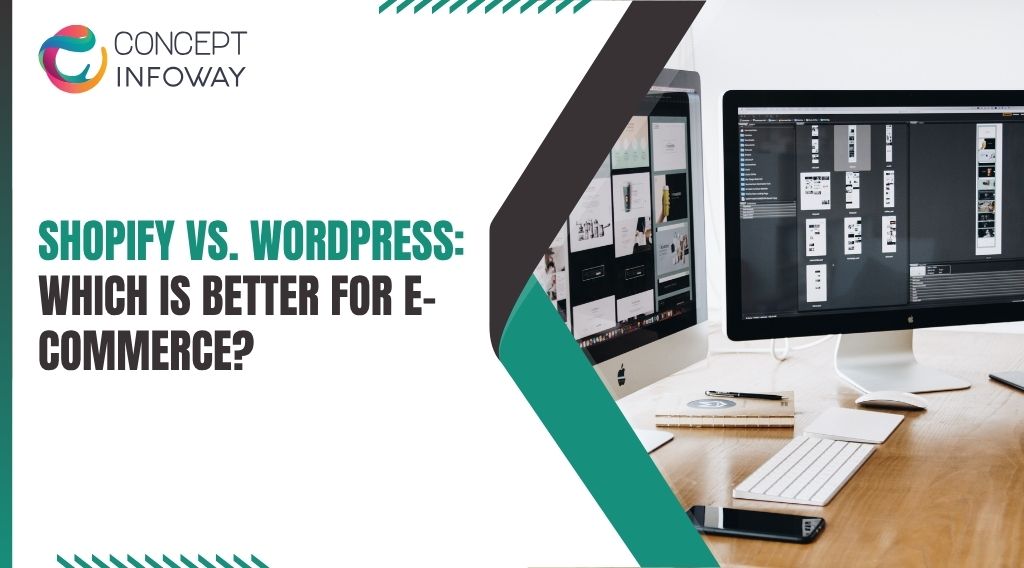
Shopify vs. WordPress: Which Is Better for E-commerce?
Shopify vs. WordPress is a practical decision for any business that wants to sell online without creating avoidable technical, operational, or growth problems. The right choice depends on how much control you need, who will manage the store, what you sell, and how your ecommerce operation may evolve.
Both platforms can support successful online stores, but they solve different problems. This guide compares Shopify and WordPress with WooCommerce across setup, customization, maintenance, SEO, costs, scalability, and long-term strategy so you can choose an approach that fits your business rather than following a generic platform recommendation.
Shopify vs. WordPress: How the Platforms Differ
The most important distinction in the Shopify vs. WordPress discussion is that Shopify is a hosted ecommerce platform, while WordPress is a content management system that typically uses WooCommerce for online selling. That difference affects ownership, maintenance, flexibility, integrations, and day-to-day responsibility.
Shopify Provides a Managed Ecommerce Foundation
Shopify combines hosting, ecommerce functionality, checkout infrastructure, product management, order processing, and theme management in one platform. Your team does not need to source a separate server or assemble the basic components required to operate a store. It is an important consideration in Shopify vs. WordPress.
That managed structure can reduce the number of technical decisions involved in launching. Shopify developers can configure a theme, organize collections, connect payment and shipping tools, and customize the buying journey without requiring your team to manage the underlying hosting environment. It is an important consideration in Shopify vs. WordPress.
The trade-off is that you work within Shopify platform rules and available extension model. Deep customization is possible, but certain changes may require specialized Shopify development, app integrations, or a different plan and architecture. You gain operational simplicity but give up some infrastructure-level control.
WordPress Requires a More Modular Setup
WordPress gives you a flexible content foundation, and WooCommerce adds ecommerce capabilities. You generally choose hosting, a theme, plugins, payment gateways, security tools, backup systems, and performance configurations separately. This distinction can shape a Shopify vs. WordPress decision.
This modular approach is valuable when content, publishing, membership features, complex editorial workflows, or highly customized page experiences are central to your business. WordPress website customization can also support a store that needs to behave more like a broader digital platform than a traditional product catalog.
However, flexibility creates responsibility. Plugin conflicts, outdated components, poor hosting configurations, security issues, and unoptimized media can affect revenue-producing pages. WordPress development is not just a design exercise; it requires a clear plan for updates, testing, backups, performance monitoring, and technical ownership. This factor belongs in any Shopify vs.
WordPress comparison.
The Decision Is About Responsibility as Much as Features
A platform may offer a feature you need, but that does not mean it is the most practical choice. Consider who will manage updates, how quickly problems must be resolved, whether your team has development support, and how important specialized content functionality is.
For example, a small product business with a lean team may benefit from Shopify’s managed operating model. A publisher, manufacturer, or organization with extensive content and unusual workflows may prefer WordPress with WooCommerce because the additional control justifies the maintenance effort. This distinction can shape a Shopify vs. WordPress decision.
The best decision starts with operating requirements, not a checklist of platform features.
Choose the Right Platform to Build and Grow Your Online Business!
Get A Free QuoteWhen Shopify Is the Better E-commerce Choice
Shopify is often a strong fit when a business wants to launch or improve an online store with fewer infrastructure responsibilities. It is particularly useful for teams that want ecommerce operations, merchandising, and marketing to remain central while technical administration stays manageable. That trade-off matters when evaluating Shopify vs. WordPress.
Choose Shopify for a Faster, More Focused Store Operation
Shopify can be a practical choice when you need a reliable commerce foundation, a standard product catalog, and a clear path for managing products, discounts, orders, and customer communications.
The platform is also well suited to businesses that want to test a new product line or sales channel without building a large custom stack first. This distinction can shape a Shopify vs. WordPress decision.
A focused Shopify ecommerce strategy may include collection structure, product information, search optimization, conversion-focused navigation, email or advertising integrations, and a measurement plan. The platform does not create the strategy for you, but it can give your team a consistent environment in which to execute it.
This factor belongs in any Shopify vs. WordPress comparison.
Shopify Reduces Some Technical Overhead
With a hosted platform, your team generally has fewer infrastructure decisions than it would with a self-managed WordPress installation. That does not eliminate the need for security, performance, analytics, or conversion work. It does reduce the amount of server and core-platform maintenance your business must coordinate.
This distinction matters for owners who have experienced problems such as a broken plugin update, an unavailable hosting account, or a slow checkout caused by an overloaded installation. Shopify will not solve every issue, but it can reduce the number of underlying variables involved in daily store operation.
This distinction can shape a Shopify vs. WordPress decision.
Shopify Works Well for Structured Growth
Shopify can support businesses expanding from a small catalog to a more organized ecommerce operation. Shopify developers can help improve information architecture, create reusable content sections, connect business systems, and refine the customer journey as requirements become more sophisticated. This factor belongs in any Shopify vs. WordPress comparison.
Still, growth should be planned carefully. Adding too many apps can introduce duplicated functionality, extra subscription costs, performance concerns, and inconsistent data. Before installing an app, confirm whether the requirement can be handled through existing platform features, theme development, an integration, or a simpler operational process.
Where Shopify May Require Careful Evaluation
Shopify may be less suitable when your business needs extensive control over hosting, unusual database behavior, highly specialized publishing workflows, or custom functionality that does not fit the platform’s ecosystem.
It may also require additional planning when you need complex product configuration, advanced wholesale rules, or integrations with older internal systems. This distinction can shape a Shopify vs. WordPress decision.
Those situations do not automatically rule out Shopify. They do mean that the technical architecture should be reviewed before design and development begin.
A Shopify development agency USA businesses are considering should be able to explain the proposed solution, its limitations, and the maintenance implications instead of treating every requirement as a simple theme change.
Ready to Grow Online? Choose the Platform That Fits Your Needs!
Get A Free QuoteWhen WordPress and WooCommerce Make More Sense
WordPress with WooCommerce can be the better option when content flexibility, ownership, and custom functionality matter more than having a highly managed ecommerce environment. It is a powerful choice, but the business must be prepared to manage a broader technology stack. It is an important consideration in Shopify vs. WordPress.
WordPress Is Strong for Content-Led Commerce
If organic search, education, editorial content, product comparisons, guides, video, community content, or industry resources are major parts of your acquisition strategy, WordPress can provide a flexible publishing environment around the store.
That flexibility helps when a customer needs substantial information before purchasing. A manufacturer may need technical documentation and application guides. A professional brand may rely on thought leadership and case studies. A specialty retailer may need detailed buying advice.
WordPress website customization can bring these experiences closer together than a basic catalog structure would. This distinction can shape a Shopify vs. WordPress decision.
The benefit is not simply having a blog. It is the ability to design content models, landing pages, navigation paths, and editorial workflows around how customers research and decide. It is an important consideration in Shopify vs. WordPress.
WooCommerce Supports Greater Technical Control
WooCommerce developers to extend the store through WordPress themes, plugins, custom code, and integrations. This can be useful for unusual pricing rules, product data, account experiences, content relationships, or connections to business systems.
Greater control also means greater accountability. Hosting quality, caching, database performance, image optimization, plugin selection, security hardening, backups, and deployment practices all influence the store. A technically flexible site can become difficult to maintain if every new requirement is solved with another plugin or an isolated customization.
That trade-off matters when evaluating Shopify vs. WordPress.
WordPress Can Be a Better Fit for Complex Brand Experiences
Businesses that view their website as a complete digital ecosystem may prefer WordPress. The site may need to serve multiple audiences, manage extensive content, support different conversion paths, or connect products with educational resources and service information.
The right question is whether that flexibility contributes to revenue, customer confidence, or operational efficiency. Customization without a business purpose can increase cost and make future changes harder. Strong WordPress development keeps the architecture understandable, documented, and focused on measurable needs. That trade-off matters when evaluating Shopify vs. WordPress.
The Main WooCommerce Risks to Plan For
WooCommerce is not inherently unreliable, but its results depend heavily on implementation and ongoing care. Common operational risks include incompatible plugins, untested updates, weak hosting, unmaintained custom code, and a lack of recovery procedures.
Before selecting WordPress, decide who owns technical maintenance. Establish a staging and testing process, maintain dependable backups, review third-party extensions, and document the systems connected to the store.
If your team cannot support those responsibilities internally, include professional development and maintenance support in the original plan rather than adding it after a failure. This factor belongs in any Shopify vs. WordPress comparison.
Shopify vs WooCommerce is therefore not only a feature comparison. It is a comparison between a more managed commerce environment and a more configurable ecosystem that demands stronger technical governance.
Which Platform Fits Your Business Model and Growth Plans?
There is no universal winner in the Shopify vs. WordPress decision. The better platform is the one that supports your business model while keeping technical risk, management effort, and future change at a reasonable level.
Compare the Factors That Affect Your Business
Platform selection works best when the choice is evaluated against the responsibilities your team can realistically own. The comparison below summarizes setup, technical control, maintenance, content flexibility, customization, and likely initial fit so the Shopify vs. WordPress decision stays tied to operational needs rather than a generic platform preference.
| Decision factor | Shopify | WordPress with WooCommerce |
|---|---|---|
| Setup model | Hosted ecommerce platform | Self-managed or managed WordPress and WooCommerce stack |
| Technical control | More structured and platform-dependent | More open and configurable |
| Maintenance | Fewer infrastructure responsibilities | More responsibility for hosting, plugins, updates, and security |
| Content flexibility | Strong for store content and extensible pages | Particularly flexible for content-heavy websites |
| Custom functionality | Usually built through themes, apps, APIs, and platform development | Built through plugins, themes, APIs, and custom code |
| Best initial fit | Focused stores seeking operational simplicity | Content-led or highly customized digital experiences |
This table is a starting point, not a final verdict. A store with a straightforward catalog may become unnecessarily complex on WordPress. A business with unusual workflows may outgrow a standard Shopify setup if requirements are not evaluated early.
Ask These Questions Before Choosing
Begin with your product and order model. Consider the number of products, variants, regions, currencies, customer types, fulfillment rules, subscriptions, and sales channels involved. A simple catalog and a configurable business-to-business operation place very different demands on a platform. This factor belongs in any Shopify vs. WordPress comparison.
Next, examine your team. Who will publish products? Who will manage content? Who will troubleshoot an integration? Who will approve changes? If no one can own technical maintenance, a platform with fewer infrastructure responsibilities may be more practical. This distinction can shape a Shopify vs. WordPress decision.
Then assess your growth priorities. If you need to publish extensive educational content and shape a sophisticated organic search experience, WordPress may offer valuable flexibility. If you want to improve merchandising, simplify operations, and connect common commerce tools, Shopify may provide a cleaner path.
Finally, review integration requirements before approving a design. Payment, shipping, inventory, accounting, customer relationship management, email marketing, analytics, and fulfillment systems can influence platform fit more than visual preferences do.
Think in Total Cost and Total Effort
Platform cost is only one part of the decision. Include development, theme or design work, apps or plugins, hosting where applicable, payment processing, maintenance, security, content production, analytics, integrations, and future improvements. This factor belongs in any Shopify vs. WordPress comparison.
A low initial expense can become expensive if the store requires constant troubleshooting or a rebuild after unmanaged customization. A more structured platform can also become costly if the business depends on many paid extensions. Compare the likely operating model over several years, not just the launch invoice.
Decide Whether You Need a New Platform at All
A platform change is not automatically the best response to weak sales. Before migrating, review traffic quality, product positioning, pricing, page speed, user experience, checkout friction, search visibility, merchandising, and measurement. A store may have a strategy or implementation problem rather than a platform problem.
That trade-off matters when evaluating Shopify vs. WordPress.
If a migration is justified, map URLs, products, categories, customer data, analytics, redirects, integrations, and content before development begins. Treat the move as a business continuity project. A technically attractive new store can still lose momentum if search visibility, tracking, or customer expectations are disrupted.
This factor belongs in any Shopify vs. WordPress comparison.
Building the Right E-commerce Implementation
Once you choose a platform, the quality of the implementation will matter more than the platform label. A well-planned store makes it easy for customers to understand products, complete purchases, and get help, while giving your team control over everyday operations.
Start With Requirements and Customer Journeys
Document the main customer paths before selecting a theme or approving page designs. Identify how a first-time visitor discovers the store, evaluates a product, compares options, handles objections, and completes checkout. Then map the internal workflows that support the order after purchase. That trade-off matters when evaluating Shopify vs. WordPress.
This process often exposes hidden requirements. A product page may need technical specifications, a comparison tool, downloadable documents, financing information, or compatibility guidance. A wholesale customer may need account approval and negotiated pricing. These needs should shape the platform architecture before they become expensive rework.
Protect Performance and Search Visibility
Search optimization is not a platform switch. In the Shopify vs. WordPress comparison, both platforms can support search-friendly ecommerce experiences when the implementation handles technical fundamentals correctly.
Pay attention to logical site structure, unique titles and descriptions, indexable product information, internal links, descriptive media, mobile usability, structured data where appropriate, and clean analytics. Avoid creating thin collection pages, duplicate product URLs, unclear filters, or content that only repeats manufacturer information.
It is an important consideration in Shopify vs. WordPress.
Performance work should focus on actual customer impact. Compress and properly size images, reduce unnecessary scripts, review third-party apps or plugins, and test important templates on mobile devices. A store can look polished in a design review and still frustrate shoppers if search, filtering, cart, or checkout interactions feel slow.
It is an important consideration in Shopify vs. WordPress.
Build Measurement Into the Launch Plan
You should know which products, pages, campaigns, and customer journeys contribute to business results. Configure analytics and conversion tracking before launch, test events in realistic scenarios, and define the reports your team will actually use.
Track more than transactions. Useful signals may include product views, internal searches, add-to-cart activity, checkout progression, form submissions, coupon use, returns, and assisted conversions. The exact measurement plan depends on the business model and systems involved. That trade-off matters when evaluating Shopify vs. WordPress.
Work With the Right Development Partner
Whether you select Shopify or WordPress, evaluate developers by how they think about business requirements, not only by their ability to produce attractive screens. Ask how they handle discovery, integrations, accessibility, performance, testing, documentation, deployment, analytics, and post-launch changes.
For a Shopify project, Shopify developers should explain what belongs in the theme, what should be handled through an app or integration, and what may create long-term platform constraints. For WordPress, a development partner should explain hosting, plugin governance, backups, update testing, custom code ownership, and recovery procedures.
It is an important consideration in Shopify vs. WordPress.
Concept Infoway can be relevant when a business needs help connecting ecommerce planning with web design and development, SEO services, or ongoing digital improvements. The practical objective should be a store that your team can operate, measure, and improve – not simply a site that looks complete on launch day.
That trade-off matters when evaluating Shopify vs. WordPress.
Plan the First 90 Days After Launch
Launch is the beginning of optimization. Review search behavior, device performance, customer questions, abandoned carts, support requests, product engagement, and order issues. Prioritize changes based on business impact rather than making random visual adjustments.
A useful post-launch process separates urgent defects from conversion improvements and longer-term enhancements. This keeps the team focused and creates a clear record of why each change is being made.
Wrapping Up
Shopify vs. WordPress is ultimately a choice between different ways of building and managing ecommerce. Shopify is often practical for businesses that want a managed commerce foundation and a focused operating model.
WordPress with WooCommerce can be the stronger fit for content-rich websites, specialized workflows, and teams that value deeper control and can manage the additional technical responsibilities.
Before deciding, assess your products, customer journeys, integrations, content strategy, internal resources, maintenance expectations, and long-term growth plans. If you need help evaluating the options or planning a store that connects development with SEO and business goals, Concept Infoway can help you turn those requirements into a clearer ecommerce roadmap.
The right platform is the one that supports consistent customer experiences and sustainable improvement after launch.
FAQs - Shopify vs. WordPress for E-commerce
Which is better for e-commerce, Shopify or WordPress?
Shopify is often better for managed, focused store operations, while WordPress with WooCommerce suits content-rich or highly customized websites. The right choice depends on your products, team, integrations, and maintenance capacity.
Is Shopify easier to manage than WordPress for an online store?
Shopify generally requires less infrastructure management because hosting and core ecommerce functions are handled within the platform. WordPress offers more control but requires greater attention to hosting, plugins, updates, security, and backups.
Is Shopify better for SEO than WordPress?
Neither platform automatically wins at SEO. Both can support strong search performance when the store has sound architecture, useful product content, fast templates, mobile usability, internal links, accurate tracking, and an ongoing optimization process.
How does Shopify compare with WooCommerce for customization?
WooCommerce generally provides more control over code, hosting, and data structures. Shopify supports substantial customization through themes, apps, APIs, and development, but businesses must work within its platform architecture and extension options.
Should a small business choose Shopify or WordPress for e-commerce?
In a Shopify vs. WordPress decision, a small business with a straightforward catalog and limited technical resources may prefer Shopify’s managed model. WordPress may be suitable when content, custom workflows, or existing WordPress investments are central to the business.
Can Shopify and WordPress work together?
Yes. A business can use WordPress for content and connect Shopify for commerce, although the combined setup requires careful planning for branding, navigation, analytics, search visibility, and customer journeys.
What should I ask Shopify developers before hiring them?
Ask how they approach requirements, theme architecture, apps, integrations, performance, SEO, analytics, testing, documentation, and post-launch support. They should also explain technical trade-offs instead of treating every request as a simple customization.
When should a business hire a Shopify development agency in the USA?
Consider professional help when integrations, migration, custom customer journeys, performance, SEO, or ongoing optimization exceed your team’s capabilities. A suitable agency should connect technical decisions to operational and commercial goals.


Digital Marketing Audit for Small Businesses: A Step-by-Step Guide