







 Web Based Solutions


 Mobile App Development








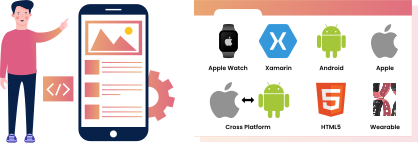
 UI/UX Design

 Digital Marketing


 Quality Assurance


 Managed IT Services
 Web Developers












 Mobile App Developers




 Frontend Developers




 Open Source Developers








 Microsoft Certified Developers




 Cross Platform Developers


 Quality Assurance


 Microsoft
 Open Source
 JS Frameworks

 Business Models
 Intellectual Property Protection
 IT Consulting Services
 IT Outsourcing Services

10 Reasons Why Mobile App Maintenance Is Essential for Business Growth
Mobile app maintenance is essential when your business depends on an app to generate revenue, serve customers, manage operations, or support a digital product.
An app that worked well at launch can become slower, less secure, less compatible, and less useful as operating systems, devices, APIs, customer expectations, and business requirements change.
This guide explains the 10 practical reasons ongoing maintenance matters, what application support and maintenance services usually include, how to prioritize work, and what to evaluate when choosing a mobile development company in USA.
It also shows how structured mobile app development can protect your investment while creating a better foundation for growth.
Why Mobile App Maintenance Is Essential for Business Growth
Launching an application is not the end of the development process. It is the point at which real users, real devices, real network conditions, and real business workflows begin producing information about what needs to improve. Maintenance turns that information into controlled improvements instead of urgent fixes.
A useful maintenance plan combines technical monitoring, security work, compatibility updates, performance improvements, user support, and product refinement. The right balance depends on the app’s purpose, technology stack, user base, integrations, and business risk.
Maintenance Is More Than Fixing Bugs
Many businesses think of maintenance as a reactive service used only when an app crashes. In practice, strong mobile app maintenance includes both corrective and preventive work. Corrective work resolves defects discovered by users or internal teams.
Preventive work reduces the likelihood of failures by updating dependencies, reviewing logs, testing integrations, and addressing technical debt.
Adaptive maintenance is also important. This involves adjusting the app to new operating system versions, screen sizes, device capabilities, privacy expectations, backend changes, and third-party services. Perfective maintenance improves the experience through usability refinements, workflow changes, and performance improvements.
The distinction in mobile app maintenance matters because an app can remain technically available while still losing business value. A slow checkout, confusing sign-up flow, outdated integration, or repeated support issue may not produce a complete outage, but each can reduce trust and conversions.
Growth Requires a Living Product
Business growth changes the demands placed on an application. A customer app may need to support more accounts, more transactions, additional regions, new payment methods, or a broader set of user roles. An internal app may need to connect with new systems or support a larger workforce.
Mobile app maintenance must evolve as features introduce new performance and security needs.
Maintenance provides the operational discipline needed to make those changes safely. Instead of treating every new requirement as an emergency rebuild, your team can use monitoring data, release history, support feedback, and technical documentation to decide what should happen next.
Need Help with App Updates and Bug Fixes? Get Professional help!
Get A Free QuoteReasons Mobile App Maintenance Supports Growth
The following reasons are closely connected. Security protects trust, performance supports engagement, reliable integrations protect workflows, and accurate data helps teams make better decisions. Together, they determine whether an app remains an asset or gradually becomes a source of friction.
Protects Security and User Trust
Mobile applications often handle personal information, account credentials, payment activity, business data, or access to connected systems. Security risks can emerge after launch through outdated libraries, exposed endpoints, weak authentication logic, insecure data storage, or changes in a third-party service.
Routine maintenance gives your team an opportunity to review dependencies, patch known issues, examine access controls, test authentication flows, and confirm that sensitive data is handled appropriately.
Security work should be prioritized according to the app’s data, architecture, integrations, and risk profile rather than treated as a one-time launch task. Security-focused mobile app maintenance needs an inventory of dependencies, permissions, and sensitive data.
Users may never see a security update, but they notice when a business communicates clearly, protects access, and responds responsibly to problems. That confidence supports retention and reduces the reputational damage associated with avoidable incidents.
Keeps the App Compatible With Current Devices and Operating Systems
Mobile app maintenance must account for how Apple and Android platforms continue to change. New operating system releases, device configurations, screen dimensions, permission models, and background-processing rules can affect an application even when your business has not changed its own requirements.
Without compatibility testing, users may experience broken layouts, notification failures, camera or location problems, crashes, or features that behave differently after an update. A maintenance team can test supported versions, review platform changes, update libraries, and resolve issues before they affect a large portion of the audience.
Regular mobile app maintenance reduces compatibility surprises as device platforms change.
Compatibility planning does not necessarily mean supporting every old device forever. It means defining a support policy based on your customers, analytics, business importance, and the technical cost of continued support. That policy should be reviewed when platform conditions change.
Improves Speed, Stability, and Reliability
A slow or unstable app creates friction at the exact moment a user is trying to complete an important action. Delays may occur because of inefficient code, large assets, memory usage, slow API responses, database queries, network conditions, or a backend that was not designed for current demand.
Mobile app support should include more than checking whether the app opens. Useful maintenance examines crash reports, failed requests, response times, device-specific behavior, and the steps users take before a problem occurs. This helps distinguish an isolated device issue from a broader architectural or integration problem.
Measure crashes, start times, and interaction delays to prioritize mobile app maintenance.
Performance improvements should be tied to user and business priorities. For example, speeding up account access, search, checkout, appointment booking, or order status may have more value than optimizing a rarely used administrative screen.
Preserves Mobile App API and Third-Party Integrations
Many applications depend on a mobile app API to exchange information with a server, database, payment provider, identity system, CRM, analytics platform, or other service.
Mobile app maintenance checks should account for connections that fail when an API contract changes, credentials expire, data formats are modified, rate limits are reached, or a provider retires an older version.
Integration maintenance includes reviewing API behavior, validating error handling, monitoring failed requests, updating authentication methods, and testing important workflows after changes. It also means making sure the app provides a useful response when a service is temporarily unavailable instead of leaving users with a confusing error.
Mobile app maintenance should include planned testing of APIs and authentication dependencies.
This is especially important for ecommerce, logistics, healthcare-related workflows, field service, financial operations, and any application that depends on current data. A planned approach is safer than waiting for a partner service to change and then discovering that a critical workflow has stopped.
Reduces User Churn and Negative Feedback
Users rarely leave because of one small inconvenience. More often, frustration builds through repeated login failures, confusing navigation, slow screens, missing features, unresolved support requests, or bugs that return after every release.
Maintenance helps identify patterns in support tickets, app reviews, analytics, and session behavior. A single complaint may represent a narrow issue, but a repeated complaint about the same task can indicate a product problem worth prioritizing. User feedback can direct mobile app maintenance toward problems affecting retention.
The goal is not to implement every request. It is to understand which improvements remove meaningful friction for important user groups. A thoughtful maintenance backlog separates urgent defects, security concerns, accessibility issues, high-value usability improvements, and ideas that require more evidence.
Protects Revenue-Critical Workflows
For many businesses, the app supports actions that directly affect revenue: product discovery, purchasing, subscriptions, lead capture, booking, account upgrades, payment, or customer communication. A small defect in one of these paths can have a disproportionate business impact.
Maintenance should therefore classify workflows by business criticality. A payment or authentication issue may require a different response process from a cosmetic display issue. Monitoring and testing can focus first on the flows where failure creates the greatest operational or financial risk.
Reliable mobile app maintenance protects checkout, booking, and other revenue-generating workflows.
Consider a retail app whose product catalog loads correctly but whose checkout occasionally fails after a payment provider update. The application may appear healthy in a basic review, while customers are unable to complete orders. Transaction-focused testing would identify the risk more effectively than a simple launch check.
Makes New Features Safer to Release
Growth often requires new features, but mobile app maintenance should stabilize the codebase before new functionality increases the chance of regressions. If the app has outdated dependencies, limited test coverage, unclear release procedures, or undocumented integrations, each new release becomes harder to predict.
Ongoing application support and maintenance services create a stronger release foundation. The team can document known dependencies, improve testing around important workflows, remove obsolete code, and address technical debt before it slows product development. A mobile app maintenance process enables safer feature releases through controlled testing and deployment.
Maintenance does not eliminate release risk. It makes risk more visible and manageable. A business can then decide whether a feature should be released broadly, introduced gradually, tested with a limited audience, or delayed until underlying issues are addressed.
Supports Better Analytics and Business Decisions
Product and marketing decisions depend on trustworthy data. If event tracking breaks after a release, if an API sends incomplete values, or if different app versions record actions inconsistently, reports may no longer represent actual user behavior.
Maintenance should include periodic checks of analytics events, attribution logic, conversion paths, notification behavior, and data synchronization. This helps marketing and product teams distinguish a genuine change in customer behavior from a measurement problem. Mobile app maintenance should verify important analytics events still fire after updates.
Reliable data also improves prioritization. Instead of arguing about which feature feels important, teams can combine usage patterns, support feedback, error data, and business objectives to choose work with clearer evidence.
Extends the Value of the Original Investment
An app represents more than its initial development invoice. It may include product research, user experience decisions, backend integrations, content, training, operational processes, and the effort required to build an audience. Allowing the application to deteriorate can reduce the value of all of those investments.
Regular maintenance helps preserve the parts that still work while identifying the parts that need modernization. Sometimes the right decision is a targeted fix. In other cases, a larger refactor, platform update, or partial redevelopment may be more sensible than continuing to patch the same problem.
Ongoing mobile app maintenance can delay expensive rebuilds by addressing technical debt steadily.
The important point is to make that choice using evidence. Maintenance records, incident history, code quality, performance data, and business priorities provide a stronger basis for deciding between incremental improvement and a larger technical project.
Creates a More Predictable Operating Model
Unplanned app emergencies interrupt marketing campaigns, customer service, sales activity, and internal operations. They can also force developers to make rushed changes without enough testing or documentation.
A planned mobile app maintenance model introduces a more predictable rhythm. It can define how issues are reported, how severity is assessed, who approves releases, how changes are tested, and how users are informed when an important problem occurs. A defined schedule makes responsibilities and release planning manageable.
Predictability is valuable even when the app is not large. A small business may not need a complex operations department, but it still benefits from clear ownership, access to technical expertise, documented environments, and a sensible escalation process.
Protect Your App from Technical Issues with Our Professional Team
Get A Free QuoteHow to Build a Practical Mobile App Maintenance Plan
The best plan is not the one with the longest list of tasks. It is the one that connects maintenance activity to user impact, technical risk, and business priorities. Start with the application’s role in your organization, then define the controls needed to keep that role dependable.
Establish a Baseline Before Prioritizing Work
Begin by documenting the current state of the app. Review supported operating systems, app versions in use, major user journeys, backend services, mobile app API dependencies, release procedures, monitoring tools, known defects, and ownership of key accounts and credentials.
Then examine the available evidence. Crash reports, support requests, app reviews, analytics, failed transactions, performance measurements, and security findings can reveal problems that are not obvious during a quick manual test. A mobile app maintenance baseline should combine telemetry, support trends, and critical journeys.
A baseline also helps avoid unnecessary work. If a feature is rarely used and has no business importance, it may not deserve the same maintenance priority as a frequently used workflow that affects revenue or customer retention.
Classify Issues by Risk and Business Impact
Mobile app maintenance priorities often depend on four factors: user reach, business criticality, security or privacy implications, and the availability of a workaround. A problem affecting a small visual detail is different from one that blocks account access or payment.
Keep the priority process simple enough that product, support, and technical teams can use it consistently. It is also useful to record the cause of recurring issues. Repeated symptoms may be signs of an underlying architecture, testing, documentation, or monitoring problem.
Risk-based mobile app maintenance puts business-critical defects ahead of cosmetic issues.
Define Release and Testing Controls
Every release should have a clear purpose, a defined set of affected workflows, and an appropriate testing plan. Testing may include functional checks, device and operating system coverage, API validation, regression testing, performance checks, accessibility review, and security-focused verification where relevant.
The required level of mobile app maintenance testing depends on the change. A content adjustment may not require the same process as a change to authentication, payments, permissions, or data synchronization. The key is to match controls to risk rather than applying a rigid process to every update.
Measure the Outcomes That Matter
Maintenance should produce evidence of improvement. Useful measures may include crash frequency, failed API calls, task completion, support volume, app store ratings, response time, update adoption, or conversion through a critical workflow. Select measurements that reflect the app’s purpose and avoid tracking numbers that cannot influence a decision.
Track mobile app maintenance outcomes through stability, retention, response times, and support volume.
If your team cannot determine whether a maintenance change improved the user experience or reduced operational risk, the maintenance backlog may need clearer objectives. The purpose is not to create reports for their own sake; it is to support better decisions.
The global Mobile App Development Market was valued at approximately USD 94.4 billion in 2024, according to Market Research Future. The market is expected to increase from USD 116.87 billion in 2025 to nearly USD 988.5 billion by 2035, reflecting significant growth in the mobile app development industry over the forecast period.
You may also like: How Much Does Android App Development Cost in 2026?
Choosing Mobile App Maintenance Services and Support
Many businesses reach a point where internal staff can manage product decisions but do not have the time or specialized expertise to handle platform updates, diagnostics, API changes, security reviews, and release support. That is when an external partner may be useful.
A capable mobile development company in USA should be evaluated on its ability to understand your application, not only on its ability to build a new feature. Ask how the team investigates production issues, documents changes, tests releases, protects access, and communicates when a problem is not immediately solved.
What to Ask a Potential Partner
Before selecting ongoing app support services, ask whether the provider can work with your existing codebase and technology stack. Clarify how access is managed, what information is needed for an initial assessment, how urgent issues are escalated, and how work is documented.
A mobile app maintenance partner should also understand and support the surrounding system. An app issue may originate in the API, database, cloud environment, authentication service, analytics configuration, or third-party integration. A provider that examines only the visible mobile interface may miss the actual cause.
Useful questions include:
- How will you assess the current app before recommending changes?
- How do you separate urgent incidents from planned improvements?
- What testing is performed before a release is submitted or deployed?
- Who will own mobile app maintenance records, source code, credentials, documentation, and app store access?
- How do you report recurring problems and recommend modernization?
Look for a Clear Maintenance Process
A professional mobile app maintenance process should make responsibilities visible. It should explain how requests are submitted, how technical issues are reproduced, how priorities are agreed upon, how changes are reviewed, and how releases are monitored afterward.
You do not need a complicated service structure, but you do need enough visibility to know what is happening. Documentation should cover important integrations, environments, deployment procedures, known limitations, and decisions that future developers will need to understand.
At Concept Infoway, mobile app support is most useful when it is connected to the broader business objective rather than treated as isolated ticket handling. For example, improving an API error response may support a smoother customer workflow, while updating a dependency may reduce compatibility risk.
The appropriate work depends on the app’s condition and your priorities, so an assessment should come before assumptions about scope. The scope of mobile app maintenance should follow verified technical and business needs.
Know When Maintenance Is Not Enough
Maintenance is not always the answer to every problem. A codebase may be difficult to change, the architecture may no longer support the product direction, or the cost and risk of repeated fixes may exceed the value of modernization.
Warning signs that mobile app maintenance alone may not be enough include recurring defects in the same area, an inability to update important dependencies, missing source code or documentation, obsolete platform components, serious performance limitations, or a product experience that no longer matches customer needs.
In those situations, options may include refactoring a component, replacing a service layer, redesigning a critical workflow, rebuilding selected features, or planning a broader application update. The decision should consider user impact, technical risk, business continuity, and the feasibility of a staged transition.
A responsible partner should explain trade-offs instead of presenting a rebuild as the automatic solution. Sound technical advice explains when targeted repairs are preferable to replacement.
Wrapping Up
Mobile app maintenance protects much more than technical functionality. It helps secure user data, preserve compatibility, support reliable mobile app API connections, reduce friction, protect revenue-generating workflows, and create a safer path for future improvements.
It also gives business leaders better visibility into whether the app is supporting growth or quietly creating operational risk.
The most effective approach is practical: establish a baseline, prioritize issues by impact, test changes according to risk, monitor important outcomes, and review whether the current architecture can support the next stage of the product.
If your team needs help evaluating an existing app or organizing mobile app support, Concept Infoway can help you assess the technical and business considerations before defining a suitable maintenance plan.
FAQs About Mobile App Maintenance
What is Mobile App Maintenance?
Mobile app maintenance is the ongoing work required to fix defects, improve performance, update dependencies, support new devices and operating systems, protect security, and keep integrations working after launch. The scope usually includes preventive work as well as responses to reported failures. Responsible teams maintain dependency inventories, test essential workflows, monitor stability, and verify that releases remain compatible with supported devices. The goal is to control operational risk while keeping the product useful. Maintenance should have a defined owner, documented priorities, and a process for deciding which changes require a full development project.
Why is Mobile App Maintenance important for business growth?
It keeps critical user journeys reliable, reduces friction, protects trust, supports new features, and helps the application continue serving customers as technology, integrations, and business needs change. Growth depends on keeping new and returning users confident that the application will work when needed. Mobile app maintenance reduces the accumulation of defects and compatibility problems that can interrupt purchases, requests, or account access. It also creates a safer foundation for future product changes. Businesses should track stability, completion rates, support requests, and release outcomes rather than judging success solely by the number of updates shipped.
What do Mobile App Maintenance services usually include?
Services commonly include bug fixes, compatibility updates, security reviews, performance optimization, API and integration support, release testing, monitoring, analytics checks, and technical guidance. A contract should distinguish regular monitoring and preventive activities from urgent incident response and new feature development. Mobile app maintenance providers may also assess crash reports, operating-system changes, store requirements, third-party integrations, and security patches. Ask how fixes are tested and released, which environments are supported, and how issues are reported. Clear service boundaries prevent routine obligations from being confused with new project scope.
How often should a business schedule Mobile App Maintenance?
Maintenance should be ongoing, with routine monitoring and reviews plus additional work when operating systems, dependencies, APIs, security risks, or important business workflows change. The schedule should consider usage patterns, business-critical features, vendor release cycles, and exposure to security threats. Mobile app maintenance requires continuous awareness even when no visible update is needed, with planned testing before major platform changes. Set review intervals for crash rates, critical journeys, dependencies, and backups where applicable. Document emergency response responsibilities so urgent failures can be investigated without waiting for the next planned cycle.
What is the difference between mobile app support and maintenance?
Mobile app support usually focuses on diagnosing and resolving user or operational issues, while maintenance also includes preventive updates, compatibility work, performance improvements, security tasks, and modernization planning. Support is often reactive, helping users resolve a current problem, while maintenance is the broader technical program that limits future problems. Mobile app maintenance includes planned compatibility testing, performance monitoring, code and dependency updates, and release quality controls. The activities overlap because support tickets can reveal recurring technical defects. Businesses benefit when support findings feed a prioritized backlog rather than remaining isolated conversations.
Why does a mobile app API need regular maintenance?
A mobile app API may require updates when authentication, data formats, rate limits, backend logic, or third-party services change. Regular checks help prevent broken synchronization and failed user workflows. An API can change independently of the mobile interface, so authentication, permissions, payloads, versioning, and timeouts need continued attention. Mobile app maintenance should include contract checks between the application and its backend as well as monitoring for failed requests. Test integrations before vendor or server changes reach production, and define how older app versions will behave. Protecting these connections helps preserve workflows that users cannot see internally.
How can I choose a mobile development company in USA for app maintenance?
When comparing mobile app maintenance providers, evaluate their experience with existing codebases, API integrations, testing, security, release processes, documentation, incident communication, and the ability to assess whether maintenance or modernization is the better option. Ask whether the team can safely inherit unfamiliar code, map dependencies, review security and privacy requirements, and operate a predictable release process. Mobile app maintenance also needs clear communication during incidents and transparent documentation of recurring issues. Evaluate supported platforms, test coverage, and the division of responsibilities between the provider and internal staff. A reliable maintenance partner should explain when repair is no longer the most efficient option.
When should a business consider rebuilding an app instead of maintaining it?
Consider modernization or redevelopment when recurring defects, obsolete architecture, unsupported dependencies, poor performance, missing documentation, or major product changes make ongoing fixes increasingly risky or inefficient. Compare the recurring cost of repairs with the complexity, security exposure, performance limitations, and product changes the application must support. Mobile app maintenance may remain cost-effective if defects are isolated and the architecture is stable. A rebuild becomes more credible when essential dependencies are unsupported or changes repeatedly break other features. Require an assessment of migration effort, data continuity, testing, and support before making the decision.


Angular vs React: Which Framework Should Businesses Choose?