






 Web Based Solutions


 Mobile App Development







 UI/UX Design
 Digital Marketing



 Quality Assurance


 Managed IT Services
 Web Developers











 Mobile App Developers



 Frontend Developers



 Open Source Developers







 Microsoft Certified Developers



 Cross Platform Developers

 Quality Assurance

 Microsoft
 Open Source
 JS Frameworks
 Business Models
 Intellectual Property Protection
 IT Consulting Services
 IT Outsourcing Services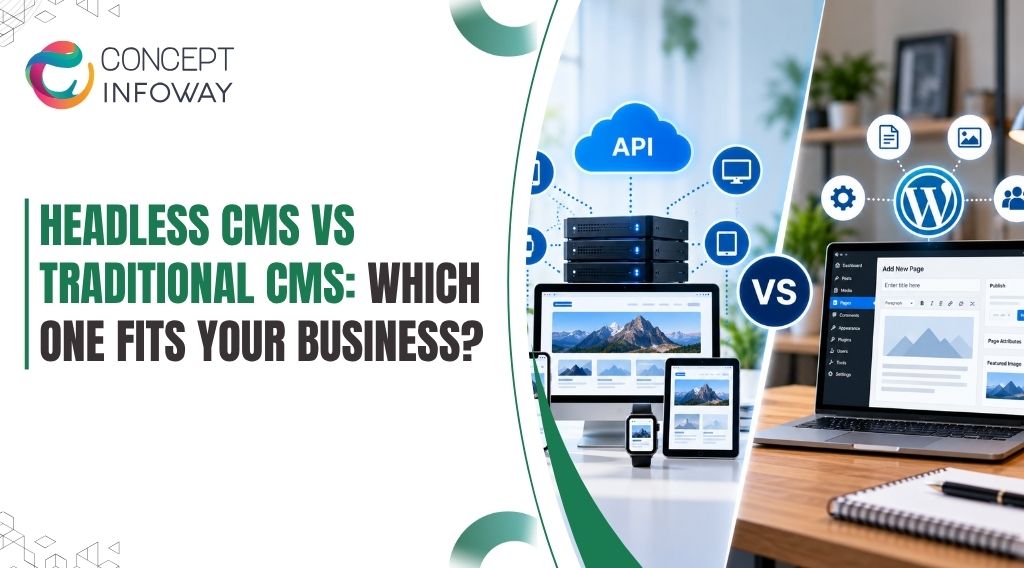
Headless CMS vs Traditional CMS: Which One Fits Your Business?
Headless CMS vs traditional CMS decisions can shape how quickly your business publishes content, supports new channels, and adapts its website over time.
The wrong architecture may create unnecessary development work, while the right one can make content operations more manageable without forcing your team to adopt complexity it does not need.
This guide explains how both approaches work, where each fits, what headless systems require from your team, and how to evaluate the business case before investing in CMS development services.
You will finish with a practical framework for choosing an architecture that matches your content workflow, technical resources, customer experience goals, and growth plans.
Headless CMS vs Traditional CMS: What Is the Difference?
The most important distinction is where content is managed and where it is presented. A traditional CMS generally combines the content management layer with the presentation layer.
A headless CMS separates those functions and delivers content through APIs to websites, mobile apps, ecommerce experiences, kiosks, portals, or other digital channels.
Neither model is automatically better. The appropriate choice depends on how many channels you support, how frequently your content changes, how much control developers need, and whether your organization can maintain a more distributed technology stack.
Preview needs should be tested in a headless CMS vs traditional CMS review.
How a Traditional CMS Works
In a traditional CMS, administrators typically create and organize content inside one platform, while templates determine how that content appears on the website.
Publishing, media management, user permissions, search engine settings, and much of the front-end structure may exist within the same system. This factor helps frame the headless CMS vs traditional CMS discussion.
This integrated approach is attractive because it reduces the number of moving parts. A marketing manager can often edit a page and preview the result without asking a developer to connect an external front end.
For a company operating one primary website with familiar content types, this simplicity can be a genuine operational advantage.
Traditional systems can also support extensions for forms, ecommerce, search, analytics, and personalization. However, extensions may vary in quality, require ongoing updates, or introduce conflicts.
As a site grows, the accumulated plugins, customizations, and theme changes can make upgrades and troubleshooting more difficult. Publishing needs matter in a headless CMS vs traditional CMS comparison.
How a Headless CMS Works
A headless CMS focuses on storing and managing structured content rather than controlling one specific presentation layer.
Developers build the front end separately and retrieve approved content through an API. The same product description, article, event, or location record can then be used in multiple digital experiences.
For example, an organization might manage a service description once and deliver it to a marketing website, customer portal, mobile application, and digital display.
The content model remains centralized, while each channel can present the information in a way that fits its users and technical requirements.
The trade-off is that headless architecture shifts more responsibility to the development team.
Previewing content, handling media, configuring routing, managing caching, and connecting search engine functionality may require deliberate implementation rather than a built-in setting. This requirement often clarifies a headless CMS vs traditional CMS comparison.
The Core Decision in Plain Language
Choose a traditional CMS when integrated editing and straightforward website management are more valuable than front-end independence.
Consider a headless CMS when content must support several channels, when the front end needs specialized performance or interaction, or when separate teams need to work with the same structured content.
A business should not select headless systems simply because they are newer. Architecture should solve a real operational or customer experience problem.
If a headless approach does not reduce meaningful constraints, it may add cost and maintenance without creating a corresponding business benefit. Integration complexity belongs in the headless CMS vs traditional CMS comparison.
Choose the Right CMS for Your Business with Professional Support!
Get A Free QuoteWhen Does a Traditional CMS Make More Business Sense?
A traditional CMS is often the practical choice for businesses that need a dependable website and a manageable publishing workflow.
It can be especially suitable when the marketing team owns most content updates and the business does not need to distribute the same content across many channels. The right workflow should guide a headless CMS vs traditional CMS choice.
Situations That Favor an Integrated CMS
A traditional platform may fit well when:
- Your business operates one main website and has limited plans for additional digital channels.
- Marketing staff need to create, edit, preview, and publish pages without developer involvement.
- Your content structure is relatively standard, such as pages, blog posts, case studies, team profiles, or service descriptions.
- Your team has limited capacity for managing separate hosting, deployment, API, and front-end systems.
- The priority is launching or improving a website rather than building a broader content platform.
This model can also be a sensible starting point for a growing company.
A well-planned traditional CMS does not prevent future growth, provided the data structure, integrations, hosting environment, and customization approach are not overly rigid. The operational impact matters in a headless CMS vs traditional CMS decision.
Benefits and Limitations of the Traditional Model
The main benefit is operational simplicity. Editors work in a familiar environment, templates provide a consistent visual system, and many website functions can be managed from one administration area.
This can reduce training requirements and make routine publishing easier. Cost should be considered carefully in a headless CMS vs traditional CMS comparison.
Traditional CMS platforms may also offer a broad ecosystem of themes, extensions, and integrations. That can help a business assemble common functionality without developing every feature from scratch.
The quality and maintenance status of each extension still need to be evaluated carefully. Support needs should inform a headless CMS vs traditional CMS choice.
The limitations become more visible when the website requires an unusual front end, multiple content delivery channels, or highly specialized performance requirements.
The presentation layer may be tightly connected to the CMS, which can make redesigns and technology changes more disruptive. Large numbers of plugins or custom modifications can also increase update and security management work.
A Practical Example
Consider a regional professional services company with one marketing website, a small content team, and monthly updates to service pages and articles.
If the business does not operate a mobile application or multiple customer-facing platforms, a traditional CMS may provide the best balance of editing control, cost, and maintainability. This should be documented before choosing headless CMS vs traditional CMS.
In this situation, moving to headless architecture could introduce separate front-end deployment, preview, content modeling, and integration tasks without solving a pressing business problem.
Improving information architecture, templates, accessibility, technical SEO services, and publishing governance may create more value than changing the CMS model. Maintenance effort can influence a headless CMS vs traditional CMS decision.
How to Avoid Traditional CMS Problems
The weaknesses of a traditional CMS are not unavoidable. Businesses can reduce long-term risk by limiting unnecessary extensions, documenting custom code, applying updates through a controlled process, using appropriate hosting, and separating content from presentation wherever the platform allows it.
A CMS development company should also discuss editorial roles, backups, staging, form protection, media handling, performance monitoring, and future integrations before implementation. The goal is not merely to install a platform.
It is to create a website that your team can operate safely after launch. Workflow testing can expose differences in headless CMS vs traditional CMS.
Ready to Choose the Right CMS? Get our Expert Support!
Get A Free QuoteWhen Should You Consider a Headless CMS?
A headless CMS becomes more compelling when content needs to move beyond a single website or when the front end demands capabilities that an integrated platform makes difficult to deliver.
The decision should be tied to measurable requirements, not a preference for a particular technology label. Integration needs can change a headless CMS vs traditional CMS decision.
Signs That Headless Architecture May Fit
A headless approach deserves serious evaluation when your business has several of these needs:
- The same content must appear across a website, mobile app, customer portal, ecommerce storefront, or other channels.
- Different front ends require different experiences while drawing from a shared content repository.
- Developers need freedom to use a modern front-end framework, specialized rendering strategy, or custom application architecture.
- Content editors and product teams need structured, reusable content rather than page-by-page duplication.
- The organization expects frequent digital product expansion or a long-term omnichannel strategy.
For example, an ecommerce company may want product data, buying guides, promotional content, and support information to serve both a storefront and an app.
A headless model can centralize the source content while allowing each experience to handle navigation, interaction, and performance differently. This factor deserves attention in any headless CMS vs traditional CMS comparison.
Headless CMS Benefits That Matter to Decision-Makers
The most meaningful headless CMS benefits relate to flexibility and reuse. Structured content can support multiple interfaces, which may reduce duplication and help maintain consistency.
Developers can also work on the presentation layer without being restricted to the templates or rendering conventions of a traditional CMS. This can shift the balance in a headless CMS vs traditional CMS comparison.
A separate front end can support specialized performance strategies, including different rendering approaches for different page types. It may also make it easier to redesign one customer-facing experience without restructuring the content repository.
These advantages are valuable when digital experiences are central to the business rather than limited to informational pages.
Headless systems can improve organizational separation as well. Content teams can focus on governance and editorial quality, while development teams manage applications and delivery. That separation only works when responsibilities, workflows, preview capabilities, and approval processes are clearly defined.
What Headless Does Not Automatically Solve
Headless architecture does not automatically make a website faster, more secure, less expensive, or better for search engines.
Those outcomes depend on implementation quality, hosting, caching, code discipline, accessibility, structured data, monitoring, and ongoing maintenance. This distinction matters when comparing headless CMS vs traditional CMS.
It can also create more operational points of failure. A content API, front-end application, search service, image pipeline, deployment system, and analytics implementation may all need to work together. If one connection fails, the user experience or publishing workflow may be affected.
Search engine optimization requires particular attention. A headless site can perform well in search, but developers must deliberately implement crawlable URLs, server-rendered or appropriately pre-rendered content, metadata controls, canonical tags, XML sitemaps, redirects, internal linking, structured data, and useful error pages.
Open-Source Headless CMS Considerations
A headless CMS open source option may provide greater control over the codebase, deployment environment, data model, and customization strategy.
It can be attractive to organizations with an experienced engineering team or specific hosting and integration requirements. Channel requirements can influence a headless CMS vs traditional CMS comparison.
However, open source does not mean free to operate. The business may still need to account for hosting, updates, security review, backups, monitoring, development, infrastructure management, and support.
A managed or commercial platform may reduce some operational responsibilities, but it can introduce subscription costs, vendor dependence, or usage limits.
The right question is not whether an open-source headless CMS has a license fee. Ask whether your team can responsibly maintain the complete solution over its expected life.
Total ownership includes people, processes, infrastructure, and risk—not only software licensing. This trade-off belongs in any headless CMS vs traditional CMS evaluation.
According to Mordor Intelligence, the global web development services market is expected to grow from USD 80.6 billion in 2025 to USD 134.17 billion by 2031, registering a compound annual growth rate (CAGR) of 8.87% during the forecast period from 2026 to 2031.
How Do You Compare Headless CMS and Traditional CMS Options?
A useful comparison starts with the business workflow and works toward the technology. Create a short list of current needs, expected changes, and unacceptable risks before evaluating platforms.
This prevents a demo from steering the decision toward features that do not matter to your organization. Business requirements should guide the headless CMS vs traditional CMS evaluation.
Compare the Content Workflow First
Ask who creates content, who approves it, how often it changes, and where it must be published.
A traditional CMS may be more efficient when editors need a visual page-building experience and content is primarily website-specific. A headless platform may be stronger when content must be structured for reuse across products and channels.
Also assess preview and publishing requirements. Editors need confidence that content will appear correctly before it goes live. In a headless implementation, preview may require a custom connection between the CMS and front end.
Confirm how draft content, scheduled releases, localization, version history, approvals, and rollback will work in practice. Team capacity can shape the headless CMS vs traditional CMS choice.
Evaluate Development and Maintenance Requirements
Technology teams should examine the full delivery chain, including the CMS, front end, APIs, hosting, deployment process, image optimization, search, analytics, authentication, and monitoring. A platform that looks simple in a product demonstration may be more complex once these production requirements are included.
For traditional systems, review theme quality, plugin governance, update procedures, database performance, access control, backups, and custom code.
For headless systems, review API limits, caching, environment management, content modeling, error handling, front-end ownership, and the availability of developers who understand the selected stack. Documenting this requirement can clarify the headless CMS vs traditional CMS choice.
Ask prospective partners to explain what happens when an editor changes a field, an API is unavailable, an integration changes, a page is removed, or a deployment must be rolled back. Practical answers reveal more than a list of platform features.
Consider Performance, Security, and Search
Performance depends on implementation rather than architecture alone. Traditional systems can be optimized with suitable hosting, caching, image handling, efficient templates, and disciplined extensions.
Headless applications can perform well through appropriate rendering and delivery strategies, but they still require careful configuration. Long-term ownership is important when assessing headless CMS vs traditional CMS.
Security also exists at the system level. A traditional CMS may concentrate administration and reduce integration points, but its plugins, themes, hosting, and user accounts must be protected.
A headless solution may reduce direct exposure of some components, while adding APIs, tokens, deployment services, and separate administrative surfaces that require protection.
Search visibility should be treated as a launch requirement. Confirm how the chosen architecture will manage metadata, redirects, content relationships, indexability, page speed, accessibility, structured data, and editorial controls.
A technically impressive architecture can still underperform if content and search fundamentals are neglected. Total ownership effort matters when comparing headless CMS vs traditional CMS.
Assess Total Cost and Organizational Fit
Cost comparison should include discovery, content modeling, design, development, integrations, migration, quality assurance, hosting, licensing, support, security work, and future changes.
Headless development may require more initial planning because the content model and front-end experience are designed as connected but separate systems. Editorial workflow is central to a headless CMS vs traditional CMS decision.
A traditional CMS may have lower initial complexity, yet extensive customization or poorly governed extensions can increase later maintenance.
Conversely, a headless platform may produce long-term flexibility but require a capable technical team to operate it. Scalability goals can affect a headless CMS vs traditional CMS evaluation.
At Concept Infoway, a CMS development discussion should begin with the website or application’s goals, content workflow, integrations, and future needs—not with an assumption that one architecture fits every project.
A CMS development company in the USA can help document these requirements, compare implementation paths, and identify where custom development is justified.
You may also like: Why Businesses Choose CMS Web Development Services in 2026
What Does a Successful CMS Development Project Require?
The CMS choice is only one part of the outcome. Many problems blamed on a platform actually begin with unclear requirements, weak content structure, incomplete migration planning, or a lack of ownership after launch.
A disciplined project process helps expose those risks before they become expensive changes. Operational complexity matters in a headless CMS vs traditional CMS decision.
Start With Content Modeling and Governance
Define content types, fields, relationships, media requirements, approval roles, and publishing rules before building templates or API connections.
A service page, article, case study, product, location, and team profile may share certain fields but should not be forced into one generic structure if their users need different information. This is another practical headless CMS vs traditional CMS consideration.
Good modeling reduces duplication and makes future reuse easier. It also gives editors a clearer workflow. Establish naming conventions, ownership, required fields, image guidance, and review responsibilities so that content quality does not depend on individual memory.
Plan the Front End and Integrations Together
In a traditional CMS, templates and content fields often evolve together. In a headless project, the front end consumes an API contract, so both sides must agree on fields, relationships, validation, error states, and preview behavior.
Changes to the model can affect multiple experiences and should be managed deliberately.
Map all important integrations early. These may include forms, customer relationship management systems, search, ecommerce, payment services, analytics, marketing automation, authentication, inventory, or external databases.
An integration that is postponed until the end can affect content modeling and user journeys throughout the project. Security responsibility differs in a headless CMS vs traditional CMS architecture.
Treat Migration as a Business Project
Migration is more than moving database records. It may involve rewriting thin content, consolidating duplicate pages, preserving valuable URLs, mapping redirects, resizing or renaming media, reviewing metadata, and deciding which older material should not be carried forward.
Create a content inventory and classify each item as keep, improve, merge, redirect, or remove. Test a representative sample before migrating everything.
This approach helps identify formatting problems, missing relationships, broken links, and unexpected content dependencies while changes are still manageable. Migration effort can influence a headless CMS vs traditional CMS choice.
Test the Editorial and Customer Experiences
Quality assurance should include more than visual checks. Test publishing permissions, drafts, approvals, scheduled content, media uploads, forms, redirects, search behavior, accessibility, responsive layouts, analytics events, and failure states.
For a headless project, confirm that a single content update reaches every intended channel correctly. Teams should weigh this issue when reviewing headless CMS vs traditional CMS.
Run editorial acceptance testing with the people who will operate the system. Developers may confirm that an API response is valid, while editors may discover that the workflow requires too many steps or provides insufficient context.
Both perspectives are necessary before launch. Governance should be included in a headless CMS vs traditional CMS decision.
You may also like: Why Custom CMS Development Beats Off-the-Shelf Solutions
Establish a Sustainable Support Model
Every CMS needs ongoing care. Decide who handles platform updates, front-end releases, security reviews, backups, monitoring, content governance, and incident response.
For open-source solutions, clarify who is responsible for reviewing dependencies and applying patches. For hosted products, understand account access, export options, service limits, and support boundaries.
Concept Infoway’s CMS development services can be relevant when a business needs help planning, building, improving, or maintaining a content-driven website or application.
The useful outcome is not simply a selected platform; it is a system your team can manage, extend, and evaluate against business goals.
Wrapping Up
The right answer in the headless CMS vs traditional CMS discussion depends on the relationship between your content, channels, team, and growth plans.
Traditional CMS platforms often make sense for focused websites that value integrated editing and manageable operations. Headless systems are worth considering when structured content must support multiple experiences or when the front end needs greater independence.
Avoid choosing based on trend, licensing language, or a technology demonstration alone.
Compare editorial workflow, development capacity, content reuse, search requirements, security responsibilities, integrations, migration effort, total ownership cost, and the support model you can sustain. Front-end requirements can change the headless CMS vs traditional CMS decision.
If your requirements are still unclear, begin with a documented content and channel assessment. A qualified CMS development company can then compare traditional, headless, and hybrid approaches against your actual constraints.
Concept Infoway can support that evaluation and the related CMS development work when a custom, scalable, and maintainable digital experience is the appropriate next step.
FAQs About Headless CMS vs Traditional CMS
What is the difference between a headless CMS and a traditional CMS?
A traditional CMS combines content management and presentation in one platform. A headless CMS separates content from the front end and delivers it through APIs to websites, apps, portals, or other channels.
Is a headless CMS better for every business?
No. Headless architecture is most useful for multi-channel content, custom digital experiences, or strong front-end flexibility. A traditional CMS may be more practical for one website with a simple editorial workflow. Architecture ownership can shape the headless CMS vs traditional CMS decision.
What are the main headless CMS benefits?
Key benefits include reusable structured content, front-end freedom, support for multiple channels, and easier separation between editorial and development workflows. These benefits depend on sound implementation and ongoing technical support.
Is an open-source headless CMS free to operate?
Open-source software may avoid license fees, but hosting, development, security updates, backups, monitoring, integrations, and support still create operating costs. Evaluate total ownership rather than the license alone. Development resources matter when evaluating headless CMS vs traditional CMS.
Does a headless CMS improve SEO automatically?
No. SEO depends on implementation. A headless site needs crawlable rendering, metadata controls, canonical URLs, redirects, internal linking, structured data, sitemaps, accessibility, and performance optimization.
Which CMS is easier for marketing teams to manage?
A traditional CMS is often easier when marketers need integrated page editing and visual previews. Headless platforms can work well for marketing teams, but preview, approvals, and content workflows may require additional configuration. Content teams should be included in the headless CMS vs traditional CMS discussion.
What should I ask a headless CMS development company before hiring it?
Ask how the team will handle content modeling, previews, migrations, APIs, SEO, integrations, security, testing, deployments, backups, and post-launch support. Request explanations based on your actual channels and workflows.
Can a CMS development company in the USA help choose between headless and traditional CMS options?
Yes. A CMS development company in the USA can assess your content processes, channels, technical resources, integrations, and growth plans, then recommend a traditional, headless, or hybrid approach based on those needs.

Website Accessibility Audit: A Complete Guide for Businesses