







 Web Based Solutions


 Mobile App Development








 UI/UX Design
 Digital Marketing



 Quality Assurance


 Managed IT Services
 Web Developers











 Mobile App Developers



 Frontend Developers



 Open Source Developers







 Microsoft Certified Developers



 Cross Platform Developers

 Quality Assurance

 Microsoft
 Open Source
 JS Frameworks
 Business Models
 Intellectual Property Protection
 IT Consulting Services
 IT Outsourcing Services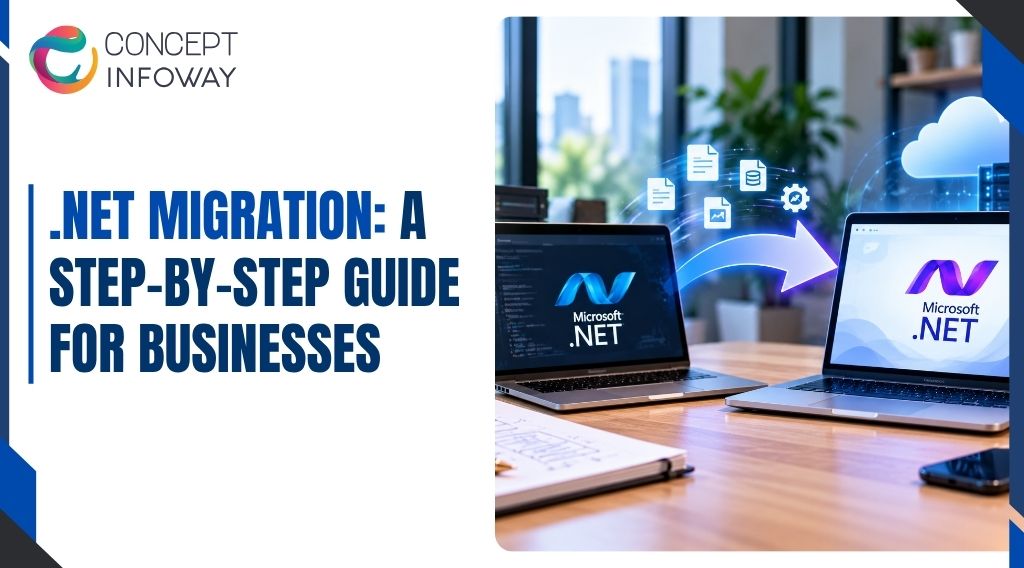
.NET Migration: A Step-by-Step Guide for Businesses
.NET migration can help your business improve application speed, security, maintainability, and long-term scalability, but moving an established application without a plan can create avoidable downtime and compatibility problems.
The right approach starts with understanding what you have, what the business needs, and which parts of the system require modernization first.
This guide explains how to plan and execute a .NET migration, including the difference between a .NET Framework migration and a move to modern .NET or ASP.NET Core.
You will learn how to assess readiness, protect application performance, test business-critical features, and evaluate an ASP.NET Core development company in the USA for support.
.NET Migration: What It Means for Your Business
A .NET migration is the process of moving an application from its current .NET platform, hosting model, dependencies, or infrastructure to a newer and more suitable environment.
The destination might be a newer version of .NET, ASP.NET Core, a different operating system, a cloud environment, or a combination of these changes.
The technical destination matters, but the business reason matters more. Companies typically consider migration when an application has become difficult to maintain, depends on aging libraries, performs poorly during busy periods, or limits the organization’s ability to release new features.
.NET Framework Migration vs. Modern .NET Migration
.NET Framework and modern .NET are related but not interchangeable platforms. Traditional .NET Framework applications commonly depend on Windows-specific technologies, older web frameworks, legacy configuration methods, and libraries that may not have direct modern equivalents.
Modern .NET, including ASP.NET Core, is designed for greater cross-platform flexibility, modular application design, containerized deployment, and more efficient use of server resources.
A migration may therefore involve more than changing the target framework in a project file. It may require changes to application architecture, authentication, data access, background processing, deployment, and monitoring.
A practical migration plan identifies these differences early. For example, a simple internal application with limited dependencies may be a good candidate for a relatively direct upgrade.
A customer-facing system with custom authentication, reporting, scheduled jobs, and third-party integrations needs a more detailed modernization plan. This requirement should be tested during .NET migration.
Why Businesses Start the Process
The most common drivers include difficulty finding support for older dependencies, slow release cycles, rising infrastructure costs, security concerns, and the need to integrate with newer services.
Some organizations also want to standardize their technology stack across multiple applications. A phased .NET migration can make this risk easier to manage.
Migration should not be treated as a technology project isolated from business operations.
If the application supports sales, customer service, order processing, or internal workflows, even a short disruption can affect revenue and employee productivity. The project plan should therefore connect technical work to business priorities.
A useful starting question is not simply, “Which version should we use?” It is, “Which business capabilities must become more reliable, faster, easier to change, or less expensive to operate?”
That answer will influence the migration sequence and the level of refactoring that makes sense.
Planning a .NET Upgrade? Get Professional Migration Support!
Get A Free QuoteIs Your Application Ready for .NET Migration?
Readiness is determined by more than the age of the application.
A relatively old system may migrate smoothly if its dependencies are well understood, while a newer system can be difficult to move if it has tightly coupled modules, undocumented integrations, or fragile deployment processes.
Before selecting tools or estimating effort, create a technical and operational baseline. This gives your team a factual view of the current system and provides comparison points after the migration.
Inventory the Application Before Changing It
Document the application’s projects, target frameworks, database connections, external services, authentication mechanisms, scheduled tasks, file storage, reporting tools, and deployment environments.
Include components that may not appear in the main application repository, such as server-level settings, certificates, scheduled jobs, or manually configured production services. The same consideration belongs in .NET migration planning.
Dependency inventory is especially important during a .NET Framework migration. Older packages may be unsupported, Windows-only, tightly coupled to a particular runtime, or dependent on APIs that are unavailable in ASP.NET Core.
Identifying these items early prevents the team from discovering major blockers after development has already started.
It is also useful to classify components into three groups: migrate as-is where practical, replace with a supported alternative, or redesign because the existing approach creates operational risk. This classification turns a large migration into a set of manageable decisions.
Establish a Performance and Reliability Baseline
A website performance audit or application assessment should examine more than page load time. Review server response time, database queries, memory use, CPU utilization, error rates, background jobs, API latency, and performance during realistic concurrent usage. This reduces avoidable risk during .NET migration.
Record the transactions that matter most to the business. These might include account login, product search, checkout, quote submission, report generation, or data import. A system can appear fast on a simple page while remaining slow where customers or employees perform high-value tasks.
Application speed should be measured under comparable conditions before and after migration. Otherwise, a faster server or lower traffic volume may create the appearance of improvement even when the code has not become more efficient.
Baseline measurements also help the team distinguish migration-related changes from unrelated infrastructure changes.
Identify Compatibility and Business Risks
Review the parts of the application most likely to create migration issues: custom authentication, session state, legacy web controls, third-party reporting, image or document processing, native libraries, database-specific code, and integrations with external systems. A reliable .NET migration needs evidence from the existing application.
At the same time, identify business risks. Which functions cannot be unavailable? Which data must be preserved exactly? Are there regulatory, contractual, or internal requirements affecting retention, access control, or audit records?
Requirements vary by industry and organization, so they should be confirmed with the appropriate legal, compliance, and security stakeholders.
A readiness review should end with a decision about migration scope. The options may include a direct platform upgrade, staged modernization, rebuilding selected modules, or postponing migration while specific risks are reduced.
The most suitable choice depends on the application’s condition, business tolerance for change, and available technical resources.
According to Mordor Intelligence, the global web development services market was valued at USD 80.6 billion in 2025 and is projected to reach USD 134.17 billion by 2031, growing at a CAGR of 8.87% during the forecast period from 2026 to 2031.
Need a Smooth .NET Migration? Get Reliable Development Support!
Get A Free QuoteA Step-by-Step .NET Migration Plan
A successful migration is usually managed as a sequence of controlled decisions rather than one large rewrite. The following process helps reduce uncertainty while keeping business-critical functions visible throughout the project.
Define the Target Architecture and Success Measures
Start by documenting the desired end state. This may include ASP.NET Core for web functionality, modern .NET for application services, a revised data access layer, updated authentication, containerized deployment, or a cloud-ready hosting model.
Avoid selecting technologies simply because they are popular; each choice should support a defined business or operational need.
Set measurable success criteria before development begins. Examples include reducing error rates, improving response time for priority transactions, simplifying deployment, removing unsupported dependencies, or enabling more frequent releases.
Not every outcome needs to be a numeric target, but the team should agree on how progress will be evaluated. This helps keep .NET migration aligned with business priorities.
Select a Migration Strategy
There are several practical approaches. A direct upgrade changes the existing application with limited structural change. It can reduce initial disruption, but it may carry forward architectural limitations.
A staged migration moves functionality in controlled slices, which can reduce risk but requires temporary integration between old and new components. A rebuild creates more freedom but usually carries the greatest scope and delivery risk.
For many established systems, a phased approach is more realistic than a complete rewrite.
The team can begin with a bounded module, shared service, or lower-risk workflow, learn from the process, and then apply those lessons to more critical areas. Testing is essential to a controlled .NET migration.
Prepare the Codebase and Dependencies
Before migrating application logic, remove unused projects, address obvious defects, consolidate duplicated configuration, and update dependencies where practical. This is not the time to redesign every part of the application, but cleaning up known obstacles makes later troubleshooting much easier.
Review namespaces, APIs, package compatibility, configuration providers, logging, serialization, data access, and authentication. Do not assume that a package with a similar name provides identical behavior on the destination platform. Confirm support, test important functions, and identify replacement options before removing the original dependency.
Migrate in Small, Testable Increments
Move one logical capability at a time where the architecture permits it. A capability might be customer authentication, product catalog search, an administrative workflow, or a reporting service.
Each increment should have clear inputs, outputs, dependencies, and acceptance criteria. A .NET migration should account for these dependencies early.
This approach exposes problems while the amount of changed code is still manageable. It also allows business stakeholders to verify that migrated functionality still reflects real processes, not just technical test cases.
When a direct migration is not possible, an integration layer can allow old and new components to operate together temporarily. That layer should have a removal plan. Temporary compatibility code often becomes permanent when it is not tracked as technical debt.
Validate Data, Security, and Integrations
Data migration requires its own plan. Confirm schema compatibility, encoding, date and time handling, identifiers, null values, transaction behavior, and record counts.
Test both ordinary records and unusual cases, such as incomplete profiles, historical transactions, deleted accounts, or large attachments. This is another important checkpoint in .NET migration.
Security validation should cover authentication, authorization, session handling, secrets, transport security, logging, dependency vulnerabilities, and administrative access. A change in framework or hosting environment can alter defaults, so security behavior should be tested rather than assumed.
External integrations need end-to-end testing with realistic responses and failure conditions. Test timeouts, duplicate requests, unavailable services, invalid payloads, and partial failures.
A migration that works only when every dependency responds perfectly is not ready for production. This can influence the scope of a .NET migration.
Release Gradually and Keep a Rollback Path
Use a release method that matches the application’s risk profile. Depending on the architecture, this may involve a pilot group, parallel environments, feature flags, staged traffic, or a controlled cutover.
The important point is that the team should know how to identify a problem and what action to take if the release must be reversed.
A rollback plan should address code, database changes, configuration, integrations, and data written by the new version. “We can redeploy the old build” is not a complete rollback strategy if the new version has changed data structures or business behavior.
After launch, monitor errors, response times, resource consumption, failed jobs, and user-reported problems. Keep the legacy system available only as long as it is operationally necessary and secure to do so.
How to Protect Application Speed and Quality During Migration
Many businesses begin a .NET migration to improve maintainability or performance, but migration alone does not guarantee faster software.
Application speed depends on code, database behavior, network calls, hosting resources, caching, asset delivery, and user workflows. Performance must be treated as a design and validation responsibility throughout the project.
Use the Baseline to Guide Improvements
Compare the same user journeys before and after migration. If a product search takes two seconds in the old system and four seconds in the new system, the team needs to investigate even if the new architecture is easier to maintain.
Conversely, a small increase in one low-value operation may be acceptable if a high-volume workflow becomes substantially more reliable. This helps the .NET migration stay measurable and controlled.
Look for common causes of slow behavior, including repeated database queries, inefficient joins, oversized responses, synchronous calls to slow services, excessive object creation, missing indexes, and unnecessary work during every request.
A website performance audit can help separate front-end issues from server-side and database issues. This should be validated before the .NET migration moves forward.
Test More Than the Happy Path
Functional testing confirms that the application produces expected results under normal conditions. Performance and resilience testing examine what happens under load, during dependency failures, or when users submit unexpected but valid data.
Test realistic usage patterns rather than an arbitrary volume of requests.
An ecommerce application may need simultaneous browsing and checkout activity, while a business reporting platform may need to handle a small number of users generating resource-intensive reports. The test model should reflect actual business behavior.
Security testing, accessibility checks, browser compatibility, and mobile behavior also matter for customer-facing systems. A technically successful migration can still harm the business if users cannot complete important tasks on their devices. The .NET migration plan should document this requirement.
Improve Observability Before Production
Logging should help the team understand what happened without exposing sensitive information. Include useful context such as request identifiers, operation names, failure categories, and timing information. Centralized monitoring can make it easier to connect an application error with a database, deployment, or external-service event.
Track health indicators that support operational decisions: availability, latency, error rates, queue depth, job completion, and resource consumption. Establish who reviews these signals and what qualifies as an incident. Monitoring that nobody acts on does not reduce operational risk.
Avoid Common Migration Mistakes
The most expensive problems are often planning problems rather than syntax problems.
Common examples include underestimating undocumented dependencies, changing framework and business logic simultaneously, postponing testing until the end, overlooking background jobs, and failing to involve users who understand the real workflow. This can prevent surprises later in the .NET migration.
Another frequent mistake is treating application speed as a hosting issue only. Moving a slow query to a larger server may provide temporary relief but does not correct inefficient data access.
Performance work should follow evidence gathered from profiling, logs, database analysis, and realistic tests.
It is also risky to migrate without a clear ownership model. Developers, infrastructure specialists, security stakeholders, business users, and decision-makers should understand who approves changes, who validates results, and who responds during release. This is a core .NET migration planning decision.
Choosing ASP.NET Core Development Services for a Migration
Internal teams can manage some migrations successfully, particularly when they have strong knowledge of the application and enough capacity for testing and operational support.
External assistance becomes useful when the system is business-critical, the migration involves unfamiliar architecture, or the team needs to continue product development during the transition.
When evaluating ASP.NET Core development services, look for a partner that can discuss discovery, architecture, testing, deployment, security, and post-release support—not only code conversion.
Questions to Ask a Potential Development Partner
Ask how the team approaches dependency discovery, legacy integration, data validation, performance benchmarking, automated testing, deployment, monitoring, and rollback.
Request an explanation of how they would handle a known challenge in your application rather than accepting a generic migration plan. The .NET migration approach should reflect this constraint.
A capable partner should be comfortable identifying situations where a full rewrite is unnecessary or risky. They should explain trade-offs clearly, document assumptions, and distinguish confirmed findings from items that require investigation.
You should also clarify project ownership, communication practices, access requirements, documentation standards, testing responsibilities, and how defects will be handled after release.
Exact scope, availability, and commercial terms should be confirmed directly with the provider because they depend on the application and engagement requirements. This gives the .NET migration team a clearer baseline.
When Concept Infoway May Be a Practical Fit
Businesses looking for an ASP.NET Core development company in the USA may need support that connects application engineering with broader digital goals.
Concept Infoway works across web development, software development, website optimization, SEO, mobile applications, and related digital solutions, so its role can be relevant when a migration affects both the application and the customer-facing website experience.
For example, a company may be moving a legacy web application while also addressing slow customer journeys, outdated content management workflows, or integration needs. In that situation, the migration plan should preserve search visibility and user experience while improving the underlying platform.
Any service scope should be confirmed through a technical discovery process rather than assumed from the project title. The .NET migration roadmap should include this work.
The right partner should leave you with more than migrated code.
You should receive a clear understanding of what changed, how the system is operated, what risks remain, and how future enhancements can be delivered without repeating the same maintenance problems. Good documentation makes .NET migration decisions easier to review.
Plan for the First 90 Days After Release
Post-launch work should be planned before launch. Review production performance, error patterns, user feedback, deployment procedures, and outstanding technical debt. Some issues will become visible only under real traffic or through less common workflows.
Use the review to prioritize improvements instead of immediately starting another large modernization effort. Stabilize critical behavior first, document lessons learned, and then decide whether the next investment should focus on performance, feature delivery, security hardening, infrastructure, or additional module migration.
Wrapping Up
A successful .NET migration is a business modernization project supported by technology, not a simple framework replacement.
The strongest results come from establishing a baseline, understanding dependencies, selecting a realistic migration path, moving in controlled increments, testing real workflows, and preparing for production operations before the cutover.
The decision between a direct upgrade, staged .NET Core migration, or broader ASP.NET Core modernization should reflect your application’s architecture, risk profile, internal capabilities, and business priorities.
A website performance audit and application inventory can provide the evidence needed to choose confidently. Documenting this early can reduce risk in .NET migration.
If your team needs help assessing legacy application risks, planning a migration, or connecting platform modernization with customer-facing digital improvements, Concept Infoway can be considered as an ASP.NET Core development partner.
Start with a focused discovery discussion and request a plan that explains scope, assumptions, testing, deployment, and support. That approach gives your business a clearer path to modern application delivery without treating migration as an uncontrolled rewrite.
FAQs About .NET Migration
What is .NET migration?
.NET migration moves an application from an older .NET platform, hosting model, or infrastructure to modern .NET, ASP.NET Core, or a better-supported environment while preserving essential business functionality.
What is the difference between .NET Framework migration and .NET Core migration?
.NET Framework migration usually involves moving a Windows-focused legacy application, while .NET Core migration targets modern, cross-platform .NET. The effort depends on dependencies, architecture, integrations, and required redesign.
How long does a .NET migration take?
There is no reliable universal timeline. Scope, application size, dependencies, testing needs, data complexity, and migration strategy all affect duration, so a technical discovery should precede any estimate.
Can .NET migration improve application speed?
It can create opportunities to improve application speed, but migration alone does not guarantee faster performance. Benchmarking, database optimization, efficient code, infrastructure, and realistic load testing are also required.
Should a business rebuild its application or migrate it incrementally?
Incremental migration often reduces risk for business-critical systems by moving tested capabilities in stages. A rebuild may be appropriate when the existing architecture prevents meaningful modernization, but it requires stronger scope control.
What should a website performance audit include before migration?
It should review response times, database queries, errors, resource use, API latency, page behavior, and priority user journeys. These measurements provide a baseline for comparing performance after migration. Clear ownership supports a smoother .NET migration.
How do I choose an ASP.NET Core development company in the USA?
Evaluate experience with legacy dependencies, architecture, testing, security, deployment, monitoring, and rollback planning. Ask for a discovery-based approach that explains risks and assumptions instead of promising a generic conversion.
Can Concept Infoway help with ASP.NET Core development services?
Concept Infoway offers web and software development services that may support ASP.NET Core modernization, application improvement, and related digital needs. Exact fit, scope, and availability should be confirmed during discovery.


How Much Does Android App Development Cost in 2026?