







 Web Based Solutions


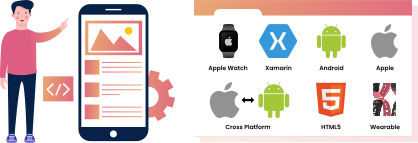
 Mobile App Development







 UI/UX Design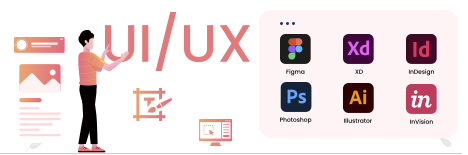
 Digital Marketing


 Quality Assurance


 Managed IT Services
 Web Developers











 Mobile App Developers



 Frontend Developers



 Open Source Developers







 Microsoft Certified Developers



 Cross Platform Developers

 Quality Assurance

 Microsoft
 Open Source
 JS Frameworks
 Business Models
 Intellectual Property Protection
 IT Consulting Services
 IT Outsourcing Services
Mobile App UI UX Design: How Good Design Increases App Retention Rates
Mobile app UI UX design shapes whether people keep using your app or delete it after one frustrated session. If the interface feels confusing, slow, or hard to trust, even a strong idea can lose users quickly.
That is why this topic matters for any business investing in an app. In this article, you will learn what good mobile app development company actually does, how it affects retention, what to evaluate before launch, and how to avoid the mistakes that quietly push users away.
Why Mobile App UI UX Design Directly Affects Retention
Mobile app UI UX design is more than visual polish. It influences how quickly users understand your app, how confidently they move through it, and whether they feel the experience is worth repeating.
Retention is often decided in the first few minutes of use. If users have to guess where to tap, wait too long for feedback, or work too hard to complete a simple task, they often never come back.
Good design reduces that friction and makes the app feel useful from the start.
UI and UX Play Different but Connected Roles
UI design focuses on the visible layer: layout, buttons, typography, icons, color, spacing, and visual consistency. UX design focuses on the overall journey: how the app works, how flows are organized, and how easy it is to complete tasks.
When these two parts work together, the app feels intuitive. When they are treated separately, you often get a product that looks attractive but is hard to use, or one that functions well but feels awkward and untrustworthy. Well-planned mobile app UI UX design company helps users reach value sooner.
Retention Is Usually a Usability Problem Before It Becomes a Marketing Problem
Many teams assume retention is only about ads, pricing, or features. In practice, poor retention often starts with friction inside the app itself.
Common issues include unclear navigation, too many steps to sign up, forms that feel tedious on a phone, and screens that do not guide the user toward the next action.
These problems are especially costly for businesses investing in app development services USA because mobile users compare your experience against the easiest apps they already use every day. Mobile app UI UX design should support the core journey before secondary features.
Need a User-Friendly App Design? Get Your Custom UI/UX Plan!
Get A Free QuoteWhat Makes the Best App UI Design Keep Users Coming Back
The best app UI design is not the most decorative design. It is the design that helps users feel oriented, confident, and successful with as little effort as possible.
A well-designed app makes important actions obvious without feeling cluttered. It also creates visual patterns that users can learn quickly, which reduces the mental effort needed to navigate from one screen to another.
Clarity Beats Cleverness
Creative interfaces can be memorable, but they should never make users stop and decode what to do next. The strongest app interface design usually relies on familiar patterns unless there is a clear reason to innovate. This is where mobile app UI UX design directly supports retention.
That includes standard placement for primary actions, recognizable icons, readable labels, and enough visual contrast to separate key content from supporting content. In mobile apps, clarity almost always performs better than clever design choices that slow users down.
Consistency Builds Comfort
Users notice when spacing, colors, button styles, and navigation behavior stay consistent across screens. That consistency creates trust because people can predict what will happen next.
If every screen behaves differently, users have to relearn the app continuously. That extra effort may seem small, but it is one of the fastest ways to reduce engagement over time.
Visual Hierarchy Helps Users Act Faster
Good hierarchy tells the eye what matters first. A well-structured screen highlights the primary action, supports it with the right context, and avoids competing distractions.
On mobile, this is especially important because screen space is limited. If too many elements share the same visual weight, users often miss the action you want them to take.
The global Mobile App Development Market was valued at approximately USD 94.4 billion in 2024, according to Market Research Future. The market is expected to increase from USD 116.87 billion in 2025 to nearly USD 988.5 billion by 2035, reflecting significant growth in the mobile app development industry over the forecast period.
Which Mobile UX Best Practices Have the Biggest Impact on Retention?
Mobile UX best practices are the habits that make an app easier to learn, faster to use, and less frustrating in real-world conditions.
The most effective ones do not just improve usability in theory; they help users complete tasks with less effort. A clear mobile app UI UX design strategy keeps the product easier to improve.
These practices matter because retention depends on repeated success. If users can open your app, understand it quickly, and finish what they came to do, they are much more likely to return. Mobile app UI UX design keeps this decision focused on real user behavior.
Design for Thumb-Friendly, One-Hand Use
People use apps while walking, commuting, multitasking, or holding a bag, coffee, or child. That means important controls should be easy to reach and tap without strain.
Place primary actions where they are easy to access. Keep tap targets large enough to reduce mistakes. Avoid packing critical elements too close together.
Reduce Cognitive Load on Every Screen
Users should not have to think hard about what to do next. Every extra decision, unexplained icon, or crowded screen adds friction.
This is where thoughtful app interface design matters. Clear labels, short instructions, and logical grouping of content all help users move through the experience without hesitation.
Give Feedback Immediately
Mobile users expect the app to respond when they tap, swipe, or submit information. Even a small delay without feedback can make the experience feel broken.
Loading indicators, confirmations, progress states, and subtle motion all reassure users that the app is working. That sense of responsiveness is a key part of perceived quality.
Keep Performance in the Design Conversation
A beautiful screen that loads slowly still creates a poor experience. Design decisions affect performance through image weight, animation complexity, content density, and the number of steps needed to reach a task. Mobile app UI UX design keeps this decision focused on real user behavior.
Good mobile UX considers what should be shown, when it should appear, and how much data the app asks the device to handle at once. Mobile app UI UX design can make small interactions feel more reliable.
Want an App Users Love? Get Expert UI/UX Design Today!
Get A Free QuoteHow App Onboarding Design Shapes First-Time Retention
App onboarding design is often the first real test of whether a user understands your product. If onboarding feels too long, too vague, or too demanding, people may leave before they experience any value. When mobile app UI UX design is consistent, users learn the product faster.
The goal is not to explain everything. The goal is to help users succeed quickly, with enough context to feel comfortable and enough guidance to avoid confusion.
Show Value Before You Ask for Commitment
Users are more willing to create an account, allow notifications, or share personal details when they understand why the app is useful.
Strong onboarding explains the benefit in plain language and avoids front-loading too many steps. If the app can demonstrate value through a preview, a sample workflow, or a short guided path, that often works better than a long introduction.
A practical mobile app UI UX design approach makes the next step easier to see.
Ask Only for What Is Necessary
One of the most common retention killers is asking for too much too soon. Long sign-up forms, unnecessary permissions, and repeated confirmations create friction before trust is established.
If a field or permission is not essential for the first use case, consider delaying it. Many apps perform better when they earn information gradually instead of demanding it immediately.
Use Progress to Lower Drop-Off
People are more likely to continue when they know how many steps remain. Progress indicators, step counts, and short onboarding flows help users stay oriented.
This does not mean every app needs a rigid multi-step process. It means the user should always understand where they are and what happens next.
How to Evaluate Mobile App UI UX Design Before You Launch
Before launch, it is not enough to ask whether the app looks finished. You need to know whether users can navigate it, understand it, and complete important actions without help.
This stage is where many teams save time and money later. A few rounds of focused evaluation can uncover problems that would otherwise show up as poor ratings, low retention, and avoidable support requests.
Test Real User Flows, Not Just Screens
A screen may look excellent in isolation and still fail when linked into a full journey. The real question is whether the user can move from entry to outcome smoothly.
Test the most important journeys end to end: sign-up, search, purchase, booking, message sending, account management, or any other core action your app exists to support.
Watch for Hesitation Points
Pay attention to places where people pause, backtrack, or ask for help. Those moments often reveal unclear labels, weak hierarchy, or missing guidance.
Even experienced users may struggle if the flow is overly technical or visually crowded. A short usability session often reveals issues that internal teams miss because they already know how the app is supposed to work. Strong mobile app UI UX design reduces the effort required to complete each task.
Compare Mobile Decisions Against Business Goals
A good design choice is not only visually appealing; it should support the business outcome the app is meant to drive. Mobile app UI UX design is most effective when it reflects how people actually use phones.
For some apps, that outcome is repeated purchases. For others, it is leads, bookings, subscriptions, or daily engagement. The design should make the most important action obvious and easy to complete. The goal is mobile app UI UX design that feels simple, fast, and trustworthy.
You may also like: What to Look for in a Mobile App Development Company in USA
What Businesses Often Get Wrong About App Interface Design
Many app projects do not fail because the product idea is weak. They fail because the interface is built around assumptions instead of user behavior. Mobile app UI UX design gives this answer a practical retention lens.
That is why experienced teams treat design as an operational decision, not just a creative one. The goal is to reduce friction, support trust, and create an experience that can grow with the business. A strong mobile app UI UX design process also helps Concept Infoway align design with development.
Designing for Internal Opinions Instead of User Behavior
Stakeholders often have strong preferences, but those preferences do not always match how real users behave on a phone. Mobile app UI UX design gives teams a clearer way to evaluate usability.
A design that looks impressive in a presentation can still be difficult to use. The best app UI design is usually validated through testing, feedback, and iteration rather than personal taste alone. The best mobile app UI UX design choices reduce friction without adding clutter.
Packing Too Much Onto the Screen
Businesses often want to show every feature at once. On mobile, that approach usually creates overload. Mobile app UI UX design should connect visual clarity with functional ease.
Users rarely need every option upfront. They need the next step, the next decision, and the next piece of information that helps them finish the task.
Treating Design as a One-Time Phase
Good UI and UX do not end when the app launches. Real usage data, support tickets, reviews, and drop-off points often reveal where the experience needs adjustment. Mobile app UI UX design also helps users feel more confident inside the app.
At Concept Infoway, we approach mobile app development with that reality in mind. Design decisions should support launch, but they should also leave room for refinement as user behavior becomes clearer.
Choosing the Right Mobile App UI UX Approach for Your Project
The right design approach depends on your audience, your business model, and the complexity of the tasks users need to complete. A consumer app, a service app, and an internal business tool will not need the same interaction style.
The most useful question is not whether the design looks modern. It is whether the design helps your users reach value quickly and consistently. Strong mobile app UI UX design reduces the effort required to complete each task.
Match the Interface to the User’s Real Context
Think about where and how the app will be used. Someone placing a quick order on the go needs a different experience from someone reviewing detailed project information at a desk.
Your app should reflect those conditions through layout, content density, navigation structure, and the number of steps needed to finish a task.
Build for Growth, Not Just the First Release
A good design should be flexible enough to support future features without becoming cluttered. That means planning scalable navigation, reusable components, and screen patterns that can expand over time.
This is one reason businesses often benefit from working with a team that handles both design and development. When design choices are made with implementation in mind, the final app is usually more stable and easier to evolve.
You may also like: Top Mobile App Development Trends Every Business Should Know
Align UI UX with the Full Product Strategy
If retention is the goal, design should reinforce the actions that create repeat use. If conversion is the goal, the interface should minimize distractions around the core transaction.
The strongest projects usually connect product strategy, development, and design early. That is where app development services USA can add real value, especially when the team understands how visual decisions affect usability, performance, and long-term maintenance.
Wrapping Up
Mobile app UI UX design has a direct impact on whether people keep using your app after the first few sessions. When the interface feels clear, the navigation feels natural, and the onboarding path is easy to complete, users are much more likely to stay engaged.
If you are planning a new app or improving an existing one, focus on the parts that shape everyday behavior: clarity, consistency, fast feedback, simple onboarding, and user flows that support real business goals.
At Concept Infoway, we help businesses turn those design priorities into practical mobile experiences that are built to support retention, usability, and growth. This is where mobile app UI UX design directly supports retention.
FAQs About Mobile App UI UX Design
What Is Mobile App UI UX Design?
Mobile app UI UX design is the combined visual and functional design of an app. UI shapes what users see, while UX shapes how easily they move through the app and complete tasks.
Why Does Mobile App UI UX Design Affect Retention Rates?
It affects retention because users stay when an app feels easy to understand and use. Confusing navigation, slow feedback, or a cluttered layout often leads to quick drop-off.
What Makes the Best App UI Design for Mobile Users?
The best app UI design is clear, consistent, and easy to scan on a small screen. It highlights the main action, uses readable labels, and keeps the layout simple enough for quick decisions.
What Are the Most Important Mobile UX Best Practices?
The most important mobile UX best practices include thumb-friendly layouts, fast feedback, low cognitive load, clear navigation, and onboarding that helps users reach value quickly.
How Should App Onboarding Design Be Handled?
App onboarding design should introduce value quickly and ask only for what is necessary. Keep it short, helpful, and easy to skip or complete without friction.
How Do You Know If App Interface Design Is Working?
You know it is working when users complete key tasks without confusion or hesitation. Usability testing, drop-off analysis, and support feedback are the most useful checks.
Can App Development Services USA Help Improve Retention?
Yes. Strong app development services USA can improve retention by connecting design, performance, and usability so the app feels faster, clearer, and easier to use.
When Should a Business Update Its Mobile App UI UX Design?
A business should update the design when users struggle with core tasks, retention drops, or the app no longer matches current user expectations. Ongoing improvements usually work better than waiting for a full rebuild.


Website Accessibility Audit: A Complete Guide for Businesses